Turn Your Shopify Catalog Into a Bonanza Product Feed

AdNabu’s “Custom Feed” feature lines up your Shopify product data with the columns Bonanza reads during inventory imports, so filling your Bonanza booth takes far less retyping.

Bring Your Shopify Store to the Bonanza Marketplace

Bonanza says more than two million visitors come to the site every month. Give them a chance to find the products you already sell on Shopify.
Built For Shopify

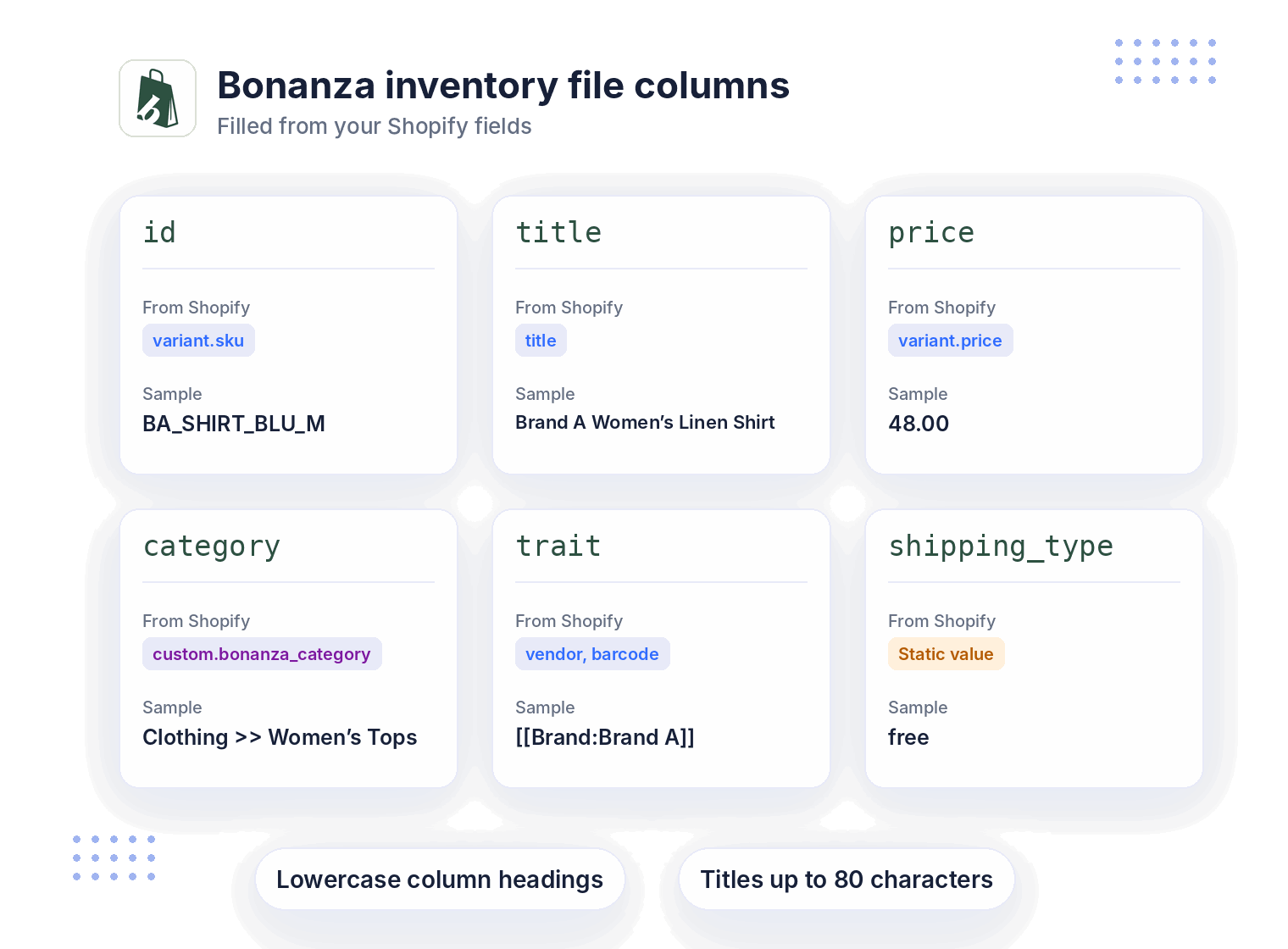
Map Shopify Fields to Bonanza’s Inventory File Columns

Bonanza’s CSV importer requires lowercase headings for id, title, price, description, and category.

  • Use a unique Shopify SKU as the id. Keep titles within 80 characters and avoid duplicate titles.
  • Enter a Bonanza category ID or the full category path, separating levels with >>.
  • Add relevant details in the trait column, using [[Condition:New]][[Brand:Brand A]]. Include applicable UPC and MPN values for Google Shopping.
  • Add quantity, up to four image URLs, and shipping_type. For flat-rate shipping, include shipping_price.

Sharpen Bonanza Titles and Descriptions With AdNabu AI

Bonanza suggests a Brand, Gender, Product, Color, Size order for titles, which is much easier to follow when your source data is already clean.

  • Let AdNabu AI, powered by the latest GPT models, rewrite titles and descriptions, aiming for the 500 to 1,000 character descriptions Bonanza recommends, then send them to your feed as AdNabu fields.
  • Turn on Automated AdNabu AI to keep improving product data in the background with your AI credits.
  • Look through Google Keyword Planner suggestions for phrases shoppers search, which matters here because Bonanza’s Google Shopping ads match search terms against your item titles.
  • Bulk edit titles, descriptions, and product types across many products before your next import.
Advertise Globally With Localized Feeds
Advanced Feed Optimization

Import Your Feed Into Your Bonanza Booth

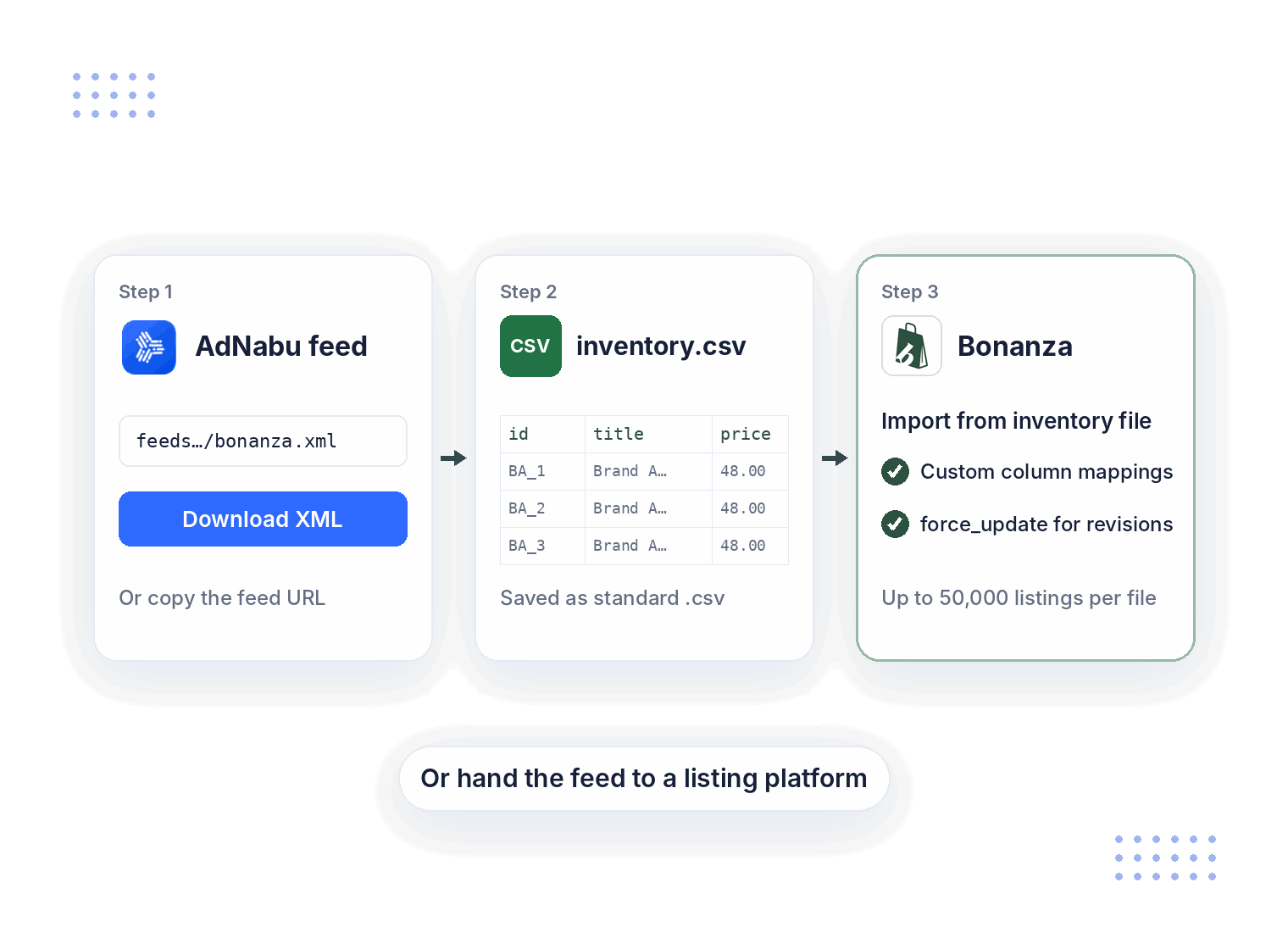
Bonanza supports bulk uploads through Selling > Import from inventory file.

  • Use your AdNabu XML file or feed URL to prepare a CSV with a spreadsheet tool. Each file must contain fewer than 50,000 unique listings. Bonanza says CSV-UTF-8 files will not work.
  • Keep AdNabu’s field names if needed. Use Bonanza’s custom column mappings to match them with Bonanza attributes.
  • Update previously CSV-imported listings by setting force_update to TRUE. Match each id to the original import.
  • Alternatively, use a listing platform that supports Bonanza. First, confirm whether it accepts your AdNabu XML feed and supports automated updates.

Reach More Buyers Through Bonanza’s Advertising Program

Bonanza pays for advertising upfront. Your final value fee depends on your advertising settings and the buyer’s source.
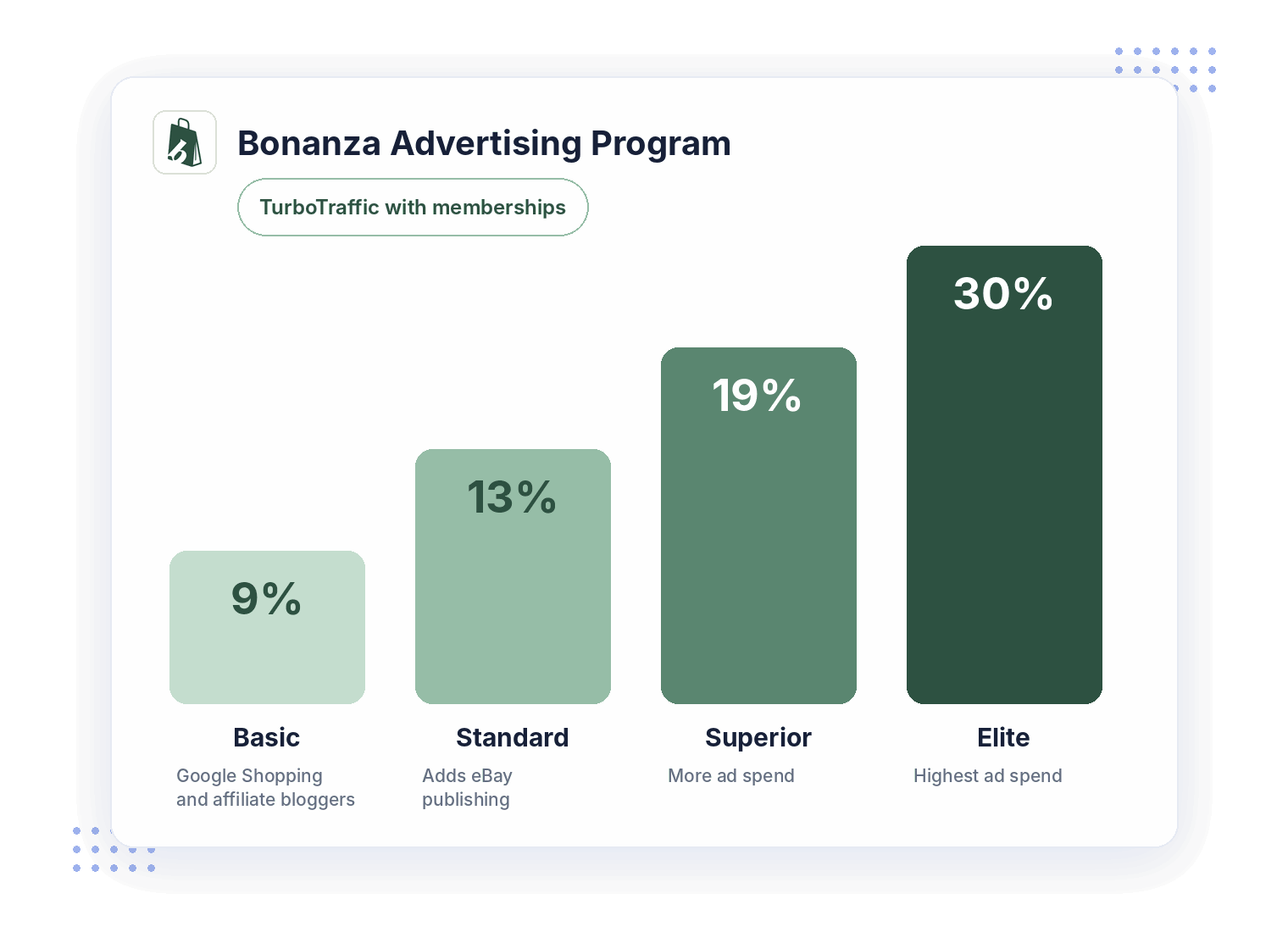
  • Basic starts at 11% and provides access to Google Shopping, affiliate bloggers, and Bonanza Promotions.
  • Standard, at 13%, adds eBay publishing. Superior at 19% and Elite at 30% allow higher advertising spend.
  • Eligible paid memberships include TurboTraffic, which increases Google Shopping advertising spend.
  • Choose or change your level under Selling > Advertise items. Sellers without an active membership also pay a $0.25 transaction fee.
Seamless Shopify-Native Data Support
Up-to-date Feeds for TikTok

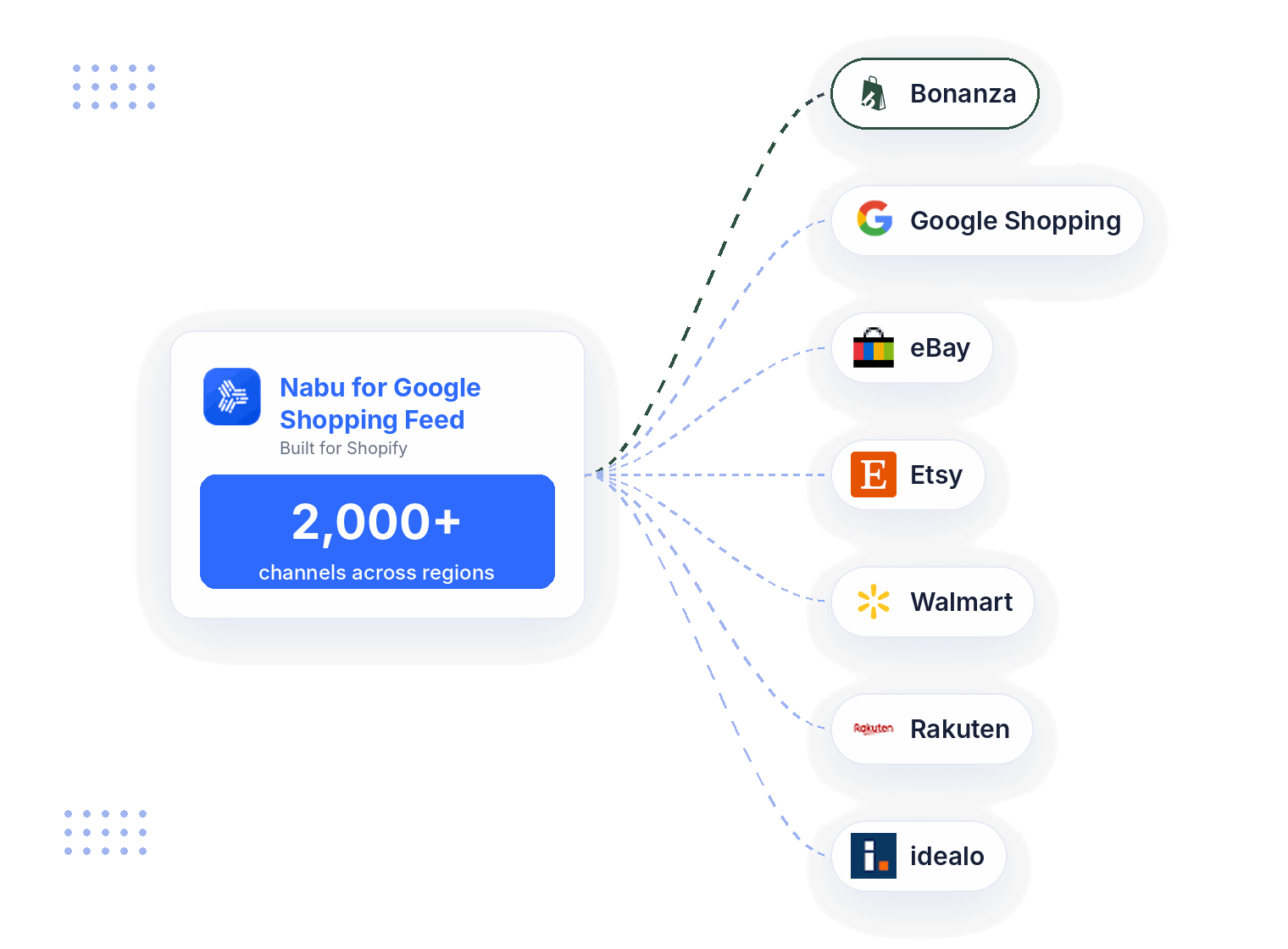
Run Bonanza, Google Shopping, and 2,000+ Channels Across Regions in One App

The product data you clean up for Bonanza can be reused in every other feed you create.

  • Keep Google Merchant Center synced while your Bonanza feed runs inside the same Shopify app.
  • Add feeds for US marketplaces like eBay, Etsy, and Walmart, or reach further with Rakuten and idealo.
  • Generate Facebook, Instagram, TikTok, Pinterest, Snapchat, Bing, and X feeds without installing another app.
  • Set up a custom feed for any other channel that accepts product files, each following its own field list.
HAPPY CUSTOMERS

See why our customers love us.

Stars

Easy to setup!

So far the app has been incredible easy to setup and customer service superb. This will make so much difference to our advertising abroad!

Le Club

Canada
Stars

The Absolute Best!

They went above and beyond to get my product listed and running on Google. I have tried for years and no one could help me, until I got the Adnabu app!

Millevita

Australia
Stars

Great App!

Able to change title listing is a major plus to help with SEO on Google Shopping, much better than the native shopify integration!

United States

Blade-Tech Holsters

Stars

24/7 for support!

What an amazing team of people at this company. It seems as if there are around 24/7 for support! Great app, great support, and great documentation which helps a lot.a placeholder text to demonstrate the visual.

Classic Horror Shop

United States
Stars

Really nice job!

I've been using the app for a while now and I still love its simplicity. Thanks to the app, I was able to get all my products approved. The app saved me a lot of time and, above all, nerves. Really nice job!

RoTe Place

Australia

Frequently Asked Questions

Give Your Bonanza Booth a Head Start

Install AdNabu, map your Bonanza columns once, and import a full inventory file instead of adding items one at a time.