Easily Create and Manage TikTok Pixels in Shopify

Simplify TikTok ads conversion tracking for your Shopify store with AdNabu’s TikTok Pixel app. Install pixels in seconds, track important events accurately, and improve the performance of your TikTok ad campaigns with reliable, error-free data. 

Shopify ratingAdNabu clientAdNabu clientAdNabu clientAdNabu clientAdNabu client

Main Benefits

1

Quick One-Time App Setup

Benefit from a simple, one-time app setup that powers accurate TikTok conversion tracking.

2

Create and Manage Unlimited Pixels

Add and manage unlimited TikTok Pixels for your Shopify store.

3

Use the App for Free

Track accurate TikTok Ads conversions for your Shopify store for free.

8K+

Active Users

10M+

Products Being
Updated Daily from AdNabu

9+

Years In The Shopify Industry
Install TikTok Pixel without coding or theme edits
Add TikTok Pixels Without Coding or Theme File Edits
Install TikTok Pixels for your Shopify store within minutes. Either connect your TikTok Ads account to select or create a pixel, or manually paste a Pixel ID if you don’t have Ads Manager access. The installation will be seamless with no coding knowledge or theme file edits required.
Enable Advanced Matching for Accurate Conversions
Using Advanced Matching, easily send hashed customer data to TikTok with all recorded pixel events. With this data, TikTok can better match customer actions to ad interactions, deliver ads to the right audience, and lower your overall campaign costs.
Enable Advanced Matching
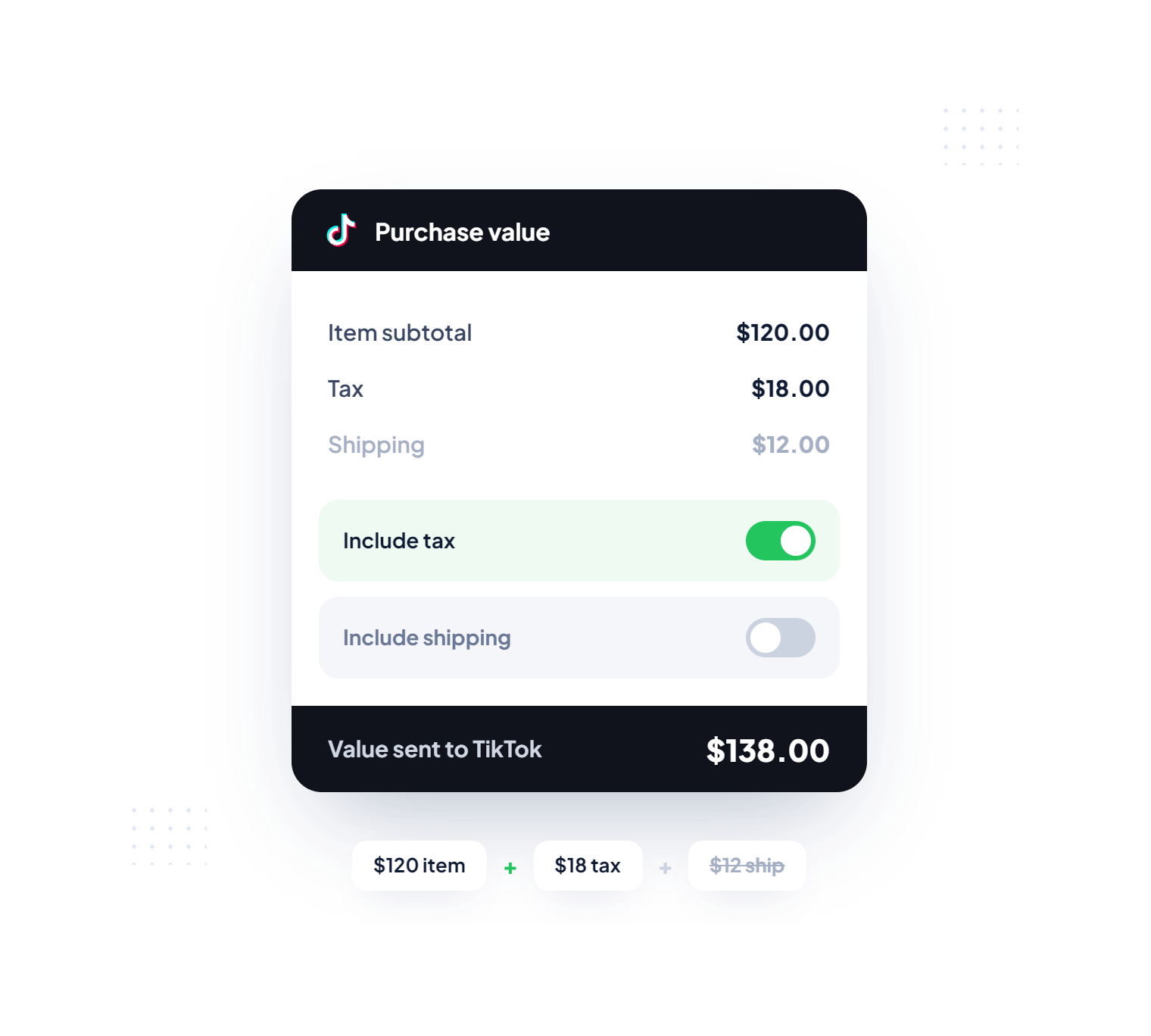
Include or exclude tax and shipping charges
Include or Exclude Tax and Shipping Charges in Sales Values
Choose whether purchase events send the full order value, including tax and shipping charges, or only item totals. Use this flexibility to keep TikTok Ads reporting accurate and revenue tracking consistent with your business goals.
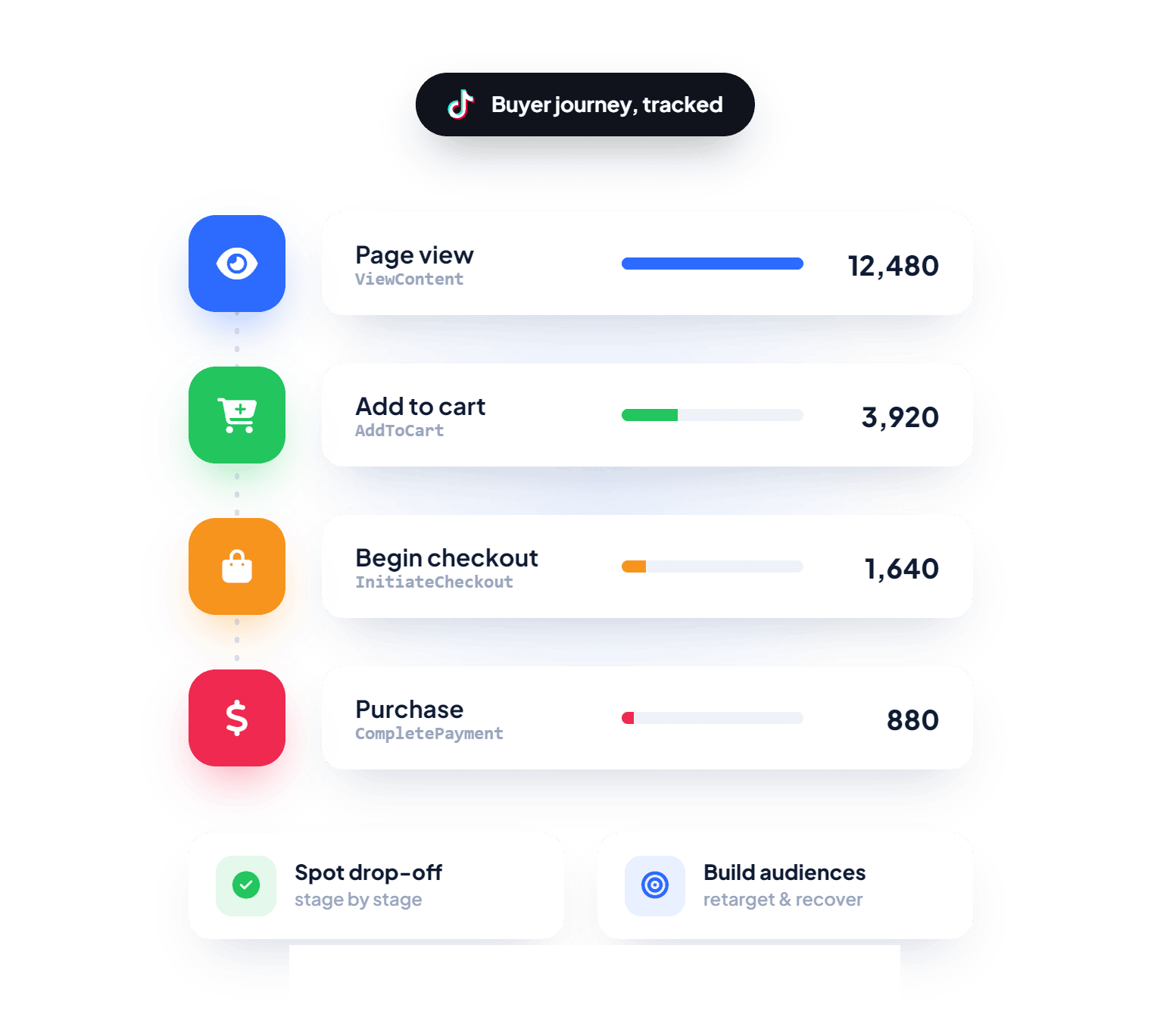
Track Key Conversion Events for Smarter Ad Optimization
Accurately track important conversion events such as page views, add-to-carts, begin checkout, and purchases that stem from your TikTok ad campaigns for your Shopify store. Use this data to identify drop-offs, recover abandoned carts, build audiences, and optimize TikTok Ads for stronger performance.
Track key TikTok Pixel conversion events easily
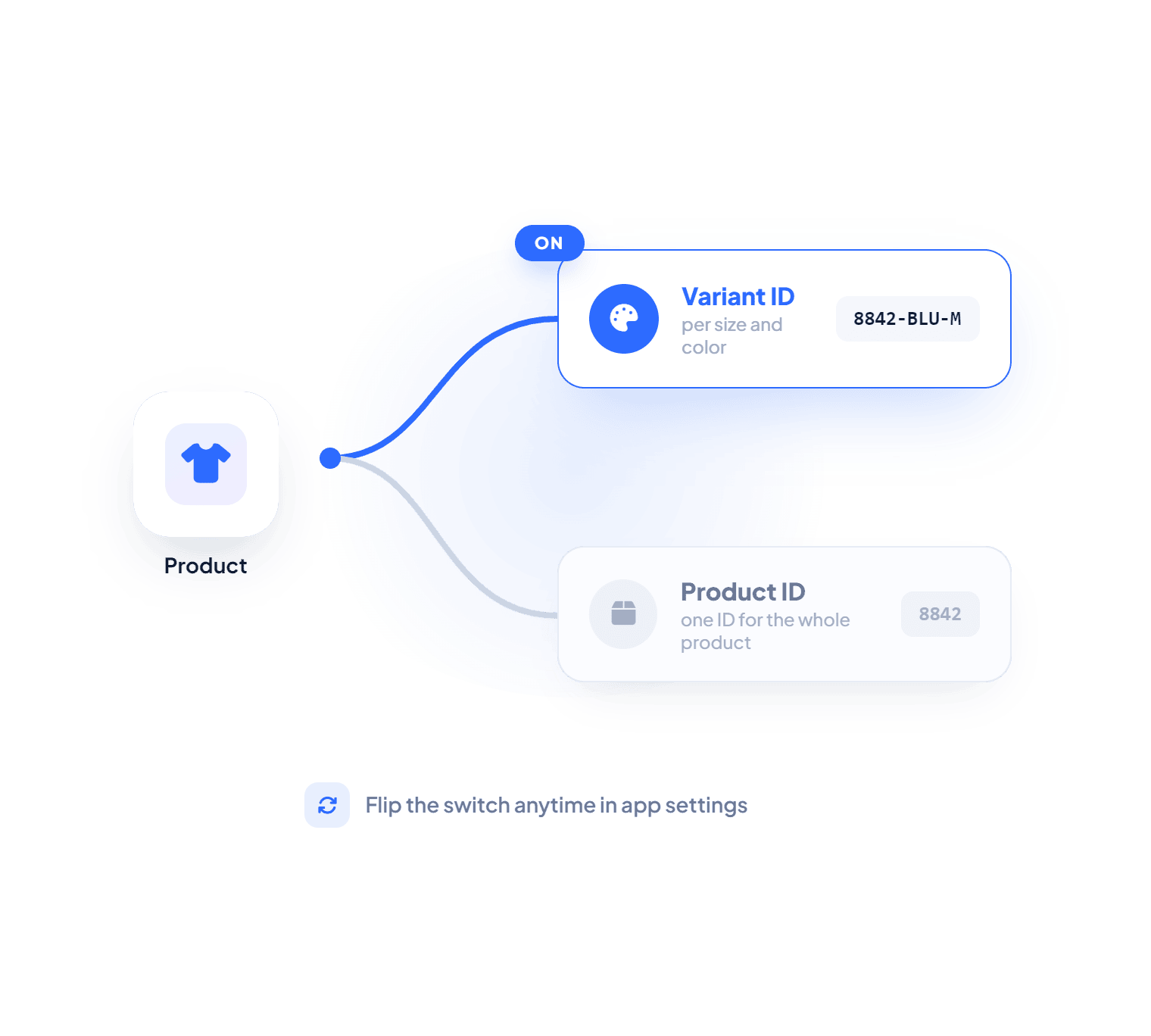
Choose Variant or Product content ID option
Flexible Content ID Selection Options
We allow you to conveniently decide which content ID parameter is sent to TikTok along with event data. Choose Variant ID for detailed variant tracking or Product ID for general product-level data. Update preferences anytime from the app settings.
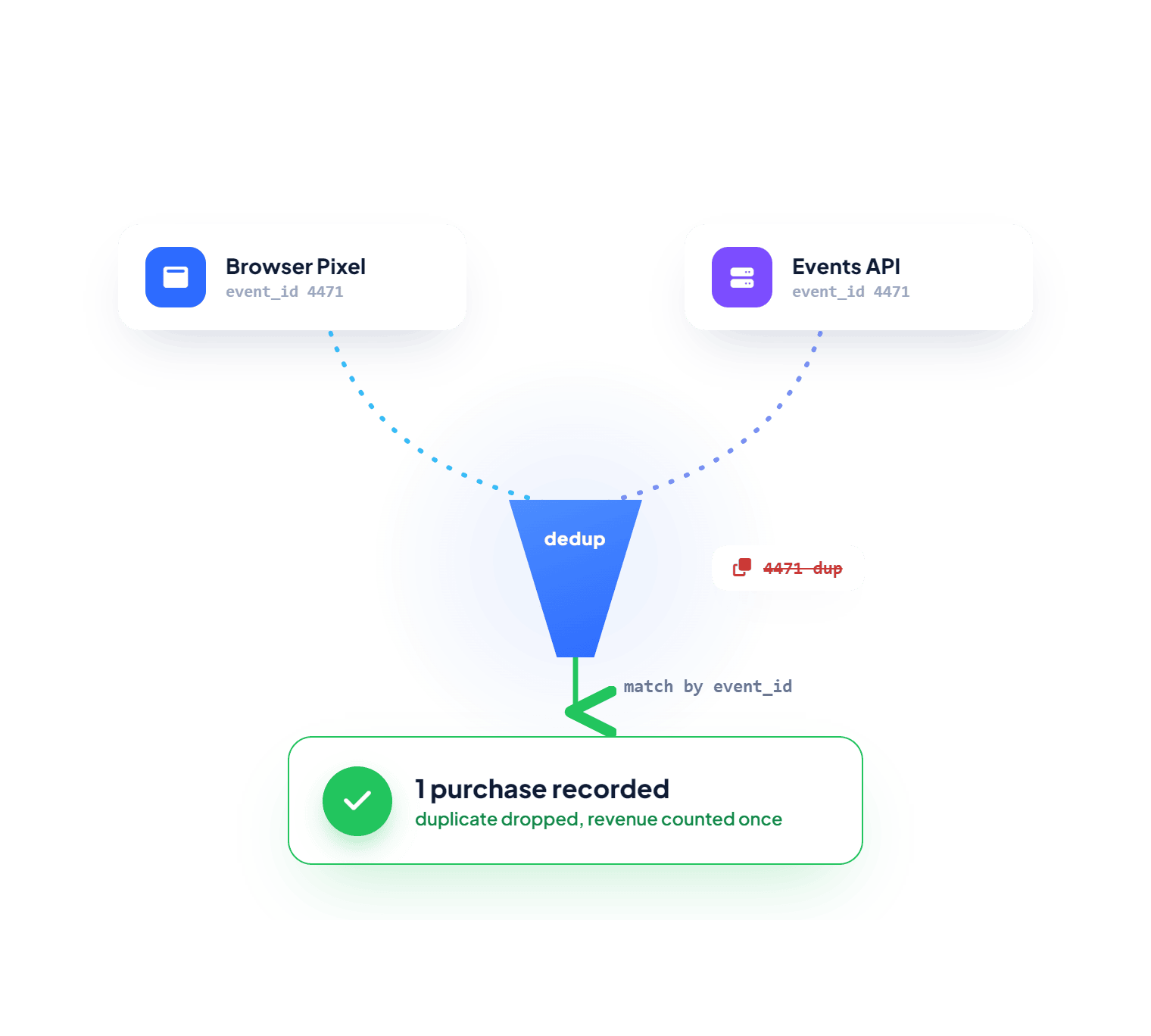
Accurate Event Tracking with Deduplication
Our app ensures TikTok receives accurate event data without any duplicates or inconsistent values. This error-free tracking delivers reliable insights and enables precise retargeting. As a result, your ads reach the right audience and deliver stronger performance with higher return on ad spend.
Accurate TikTok event tracking with deduplication
Effortless TikTok Pixel Setup for Shopify Merchants
Easy Setup, Accurate Tracking, Better Campaign Optimization, and Stronger Results.
Starting For
Free
 Your pathway to TikTok Ad success.
Install Now
Fast and Simple TikTok Pixel Setup
Set up and manage TikTok Pixels on your Shopify store without any technical effort.
Send Accurate and Reliable Data
Ensure TikTok receives clean, deduplicated event data for precise targeting and better ad performance.
Get 24/7 Expert Support
Get round-the-clock help from certified professionals for all queries and concerns.

Happy Customers

See why our customers love us.

Rating Stars by client
This company is awesome. I have been using them for years.
Rating Stars by client
EXCELENTE EXPERIENCIA. MUY AGRADECIDO DEL APOYO
Rating Stars by client
It was a perfect support
Rating Stars by client

Frequently Asked Questions (FAQs)

How to find TikTok Pixel code?
To find a TikTok Pixel's ID, log in to TikTok Ads Manager and open Events Manager from the tools menu. Select the correct business account, then go to Data Sources or Web Events. Choose your Pixel, and the Pixel ID will appear in the overview section. Copy this ID and use it while adding the TikTok Pixel to your Shopify store through the app.
If I create a pixel in the app, will it sync to my TikTok account?
Yes, any pixel created in AdNabu's TikTok Pixel app will automatically sync with your TikTok Advertiser account, provided you have connected it with our app.
How to verify if my TikTok pixel is implemented correctly for my Shopify store?
The TikTok Pixel Helper Chrome extension allows you to verify your TikTok Pixel installation. This free tool checks your store in real time, confirms whether events are firing correctly, and highlights any implementation errors so you can fix them quickly.
Why does Shopify show "Pixel will not track any customer behaviour" during setup?
This message can look alarming, but it usually does not mean anything is broken. It only indicates that Shopify's built-in event subscription list has no Shopify-managed events tied to that pixel. Our app uses its own custom pixel script with its own event subscriptions, so tracking continues to work as long as the script is added correctly and the app embed block is enabled. You can confirm everything is firing using the TikTok Pixel Helper extension.
What is the app embed block, and is it required for AdNabu's TikTok Pixel app?
An app embed block is a Shopify feature that allows apps to load scripts like tracking pixels directly into your store's theme. It is required to use our app and activate TikTok Pixel tracking. To enable it, go to your Shopify theme settings and open the App Embeds section. Find "Nabu for TikTok Pixel" in the list, toggle it on, and save your changes. Once enabled, your pixel tracking will start working automatically.
Which content ID does the app send to TikTok, and can I change it?
You can decide which product identifier is sent to TikTok with every event. Choose Variant ID for granular tracking of the exact variant purchased, such as a specific color or size, or Product ID for general product-level data. For example, if you sell a t-shirt in red and green, Variant ID tells TikTok exactly which one converted, while Product ID reports the same identifier for both. You can update this preference anytime from the app settings.
Does the app support visitor consent tracking for privacy compliance?
Yes. The app includes visitor consent tracking that shares user consent data with TikTok based on each shopper's preferences, helping you stay aligned with privacy regulations. To turn it on, open the app, go to Settings, then TikTok Integration, enable Visitor Consent Tracking, and save.
What is the cost of AdNabu’s Shopify TikTok Pixel app?
Currently, the app is completely free to install and use on Shopify. You can set it up right away without any charges.

Drive Better Results With TikTok Ads

Track every action customers take on Shopify after interacting with your TikTok ads. Use these insights to optimize targeting and improve overall campaign performance.

Install feed management adnabu app for Shopify