Easily Optimize and Sync Shopify Products to Facebook and Instagram

Optimize your Shopify product feeds in compliance with Meta’s requirements and push changes immediately to Meta Commerce Manager to run catalog-based ads and boost your store’s sales! 

Shopify ratingWooltari AdNabu client logoFink AdNabu client logoPerromart AdNabu client logoPleshy AdNabu client logoNatralii AdNabu client logo

A Meta Catalog Is Only as Reliable as the Feed Behind It

Facebook and Instagram ads can only show what your catalog tells them, so the gap between your Shopify store and Meta Commerce Manager is usually where ad budget slips away. Reliable Shopify to Meta catalog sync generally comes down to four weak spots.

Ads that keep promoting sold out stock

When stock or prices change in Shopify and the catalog only catches up later, dynamic ads can keep showing items you can no longer ship. Shoppers land on a sold out page, and the money spent on that click is gone.

Products Meta holds back from the catalog

Meta typically expects a brand, availability, condition, and price for every item, plus titles, descriptions, and images that meet its catalog specifications. One missing field is often enough to keep a product out of your ads entirely.

Ad copy tied to your storefront copy

Shopify's own Facebook & Instagram channel generally sends the same title, description, and image your store uses. Writing a sharper title for ads usually means changing it on your product page as well.

Catalog clicks you cannot trace

Without UTM tags on product links, visits that start from a Facebook or Instagram catalog tend to blend into the rest of your website traffic. That makes it hard to tell how much revenue the catalog is actually driving.

Nabu for Facebook Feed, a Shopify Facebook feed app built for exactly this, handles all four from one place inside your Shopify admin.

What a Facebook Product Feed Is, and How It Powers Catalog Ads

A Facebook product feed is a structured list of every product you want to advertise, with fields such as title, description, image, price, availability, brand, and condition. Meta reads it into a catalog in Commerce Manager, and that catalog then powers your Facebook and Instagram Shop along with dynamic ads that show shoppers the items they are most likely to buy.

Because Meta builds those ads straight from each row, the quality of every field shapes how a product is categorized, who sees it, and whether it runs at all. Keeping that data accurate by hand is usually manageable for a few products and close to impossible for a few thousand, which is why many stores turn to a product feed management solution for Facebook.

Two Layers of a Meta Catalog Setup

In Nabu for Facebook Feed, categories are picked from dropdowns on each product's edit page, while sync and inclusion rules sit under Settings, so the two layers stay easy to manage on their own.

Shopify Syncs Products to Meta. Nabu Controls What the Catalog Receives.

Shopify's Facebook & Instagram channel, built by Meta, automatically syncs eligible products to your shop and catalog, which makes it a solid starting point. Nabu for Facebook Feed adds a separate editing layer, finer sync timing, and automation for merchants who want more say over their catalog.

Feature
Facebook & Instagram
Nabu for Facebook Feed
"Built for Shopify" certified
✗
✓
Shopify App Store rating
⭐ 3.9/5
⭐ 4.9/5 (Highly rated by merchants)
Automatically sync Shopify products to
Meta catalogs
Many merchants report syncing issues
✓
List products on Facebook and Instagram from one catalog
✓
✓
Choose instant or hourly product feed updates
No interval selector documented
✓
Remove variant details from product titles
with one setting
Requires title customization
✓
Automate product opt-in and opt-out using
dedicated Shopify Flow actions
No equivalent actions documented
✓

If your catalog only needs to mirror your storefront, the Meta channel is usually enough. Once ads need their own titles, quicker updates, or rules that include and exclude products automatically, a dedicated feed app is generally the simpler route.

How to Add a Facebook Feed to Shopify in Three Steps

There is no file to upload and no code to touch, because the app builds and sends the feed for you.

1
‍

Connect Facebook and Choose Your Business

Log in with your Facebook account, select the Meta business account the catalog should belong to, pick your target country, and add your contact details. If you do not have a business account yet, you can create one in Meta Business Center before you start.

2
‍

Let the App Import Your Products

Your Shopify products and their data are pulled into the app automatically. You can explore the settings while the import runs, and once it finishes, filters for price, brand, collection, and stock status help you find the products that need attention first.

3

Refine Products and Set Your Sync Speed

Open any product to complete mandatory fields such as brand, condition, and quantity to sell on Facebook, then click Push Product to send that item right away. Under Settings, then Feed Settings, then Sync Settings, turn on Instant Shopify Sync and choose instant or hourly updates.

Selling in several languages? Instant sync does not cover translations, so localized feeds keep refreshing once a day, which is worth planning around before a launch.

Bottom line: Setup happens entirely inside Shopify, and after that the feed generally keeps itself current without anyone exporting spreadsheets.

When a Shopify Facebook Product Feed App Makes the Biggest Difference

Any store selling through Meta benefits from a cleaner catalog, though a few situations make the difference hard to miss.

📦
Stores With Fast Moving Inventory

Shopify Flow can opt a product out of Facebook automatically once its total inventory drops below a number you choose, then opt it back in when stock returns. Ads generally stop pointing shoppers toward items you cannot ship.

🏷️
Catalogs Built on Variants

Apparel and similar stores often end up with size and color appended to every product name. One checkbox in Product Preferences sends only the base title, so every variant shows a cleaner name on Facebook and Instagram.

📊
Teams Measuring Catalog Revenue

Campaign source, medium, and name can be added to every product link from Feed Settings, and the feed refreshes so existing products carry the tags too. Catalog traffic then shows up as its own line in your analytics reports.

🆕
Stores Launching Products Often

New products can be kept out of the feed by default until someone reviews them, rather than reaching the catalog the moment they are added. That is useful when listings need a final check on titles and images first.

🖼️
Brands With Lifestyle Photography

If the first image in Shopify is a plain packshot and the second is a styled photo, Image Preferences can send a different image position for every product in the catalog at once.

💰
Stores Advertising Higher Value Items

Flow conditions can check price or description keywords as soon as a product is added, so items below a threshold you set stay out of the catalog while premium lines go straight in.

Customize Shopify Products For Meta 
Strategically Customize Shopify Products For Meta 
Edit product titles, descriptions, availability, GTINs, and all other essential attributes in compliance with Meta’s product data requirements. Ensure your products never get disapproved and that your ads deliver optimal results. 
Bulk Edit Your Meta Product Feed At Scale
Select and edit multiple items in a single go for different attributes such as GTIN, Pattern, Material, and more. Skip the hassle of updating items individually and save hours of manual effort with just a few clicks. 
Bulk Edit Your Meta Product Feed
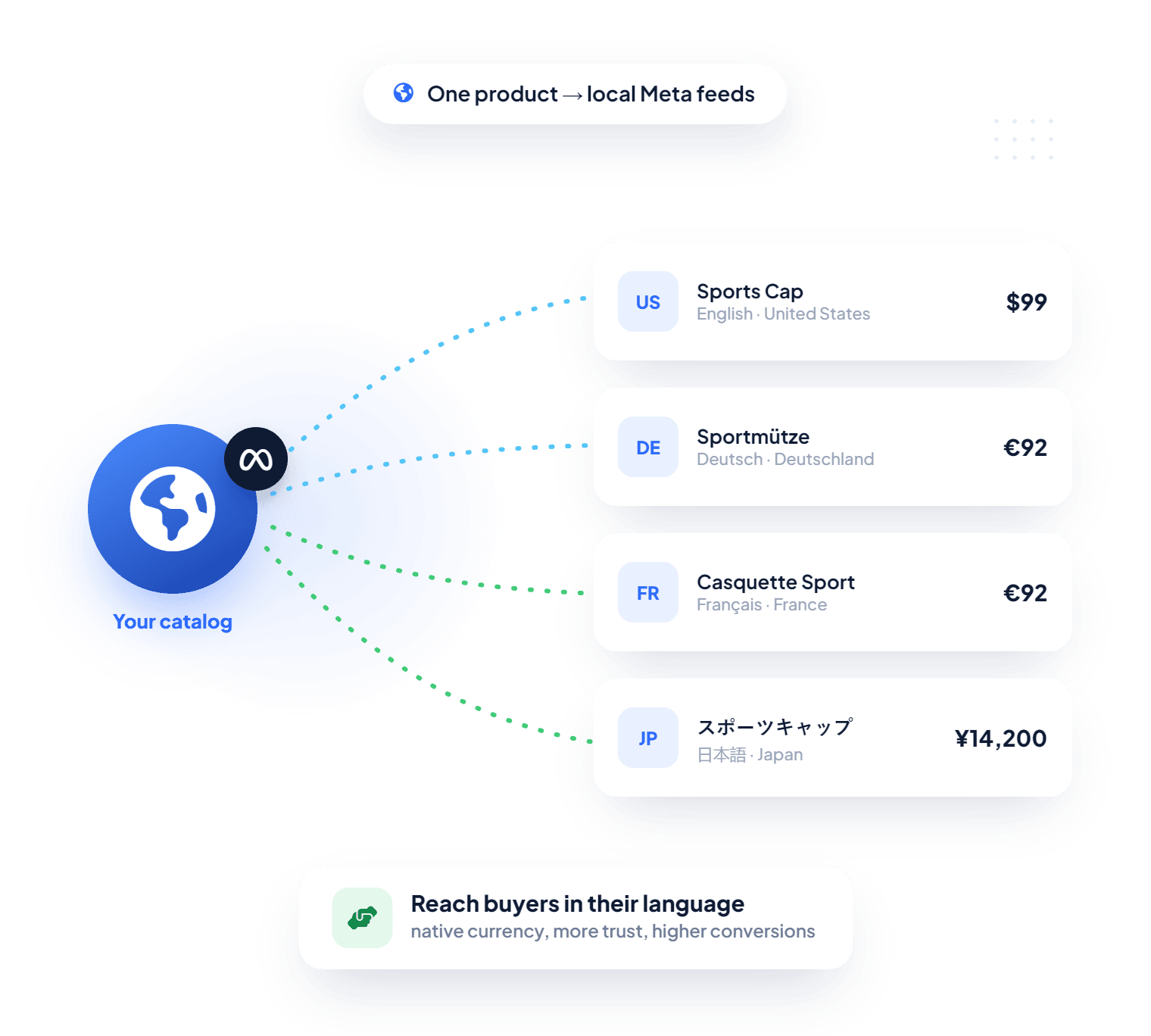
Global Feed Localization
Go Global With Localized Product Feeds
Create country and language-specific Meta product feeds to provide international shoppers with a localized buying experience. Reach high-intent buyers in their native language and currency, build trust, and improve conversions with ease. 
Send Richer Product Data With Metafields and Metaobjects
Map Shopify metafields and metaobjects to any Meta feed attribute seamlessly and enhance product data customization. Send richer, better-structured product data to Meta Commerce Manager beyond what Shopify natively supports. 
Enhanced Product Data
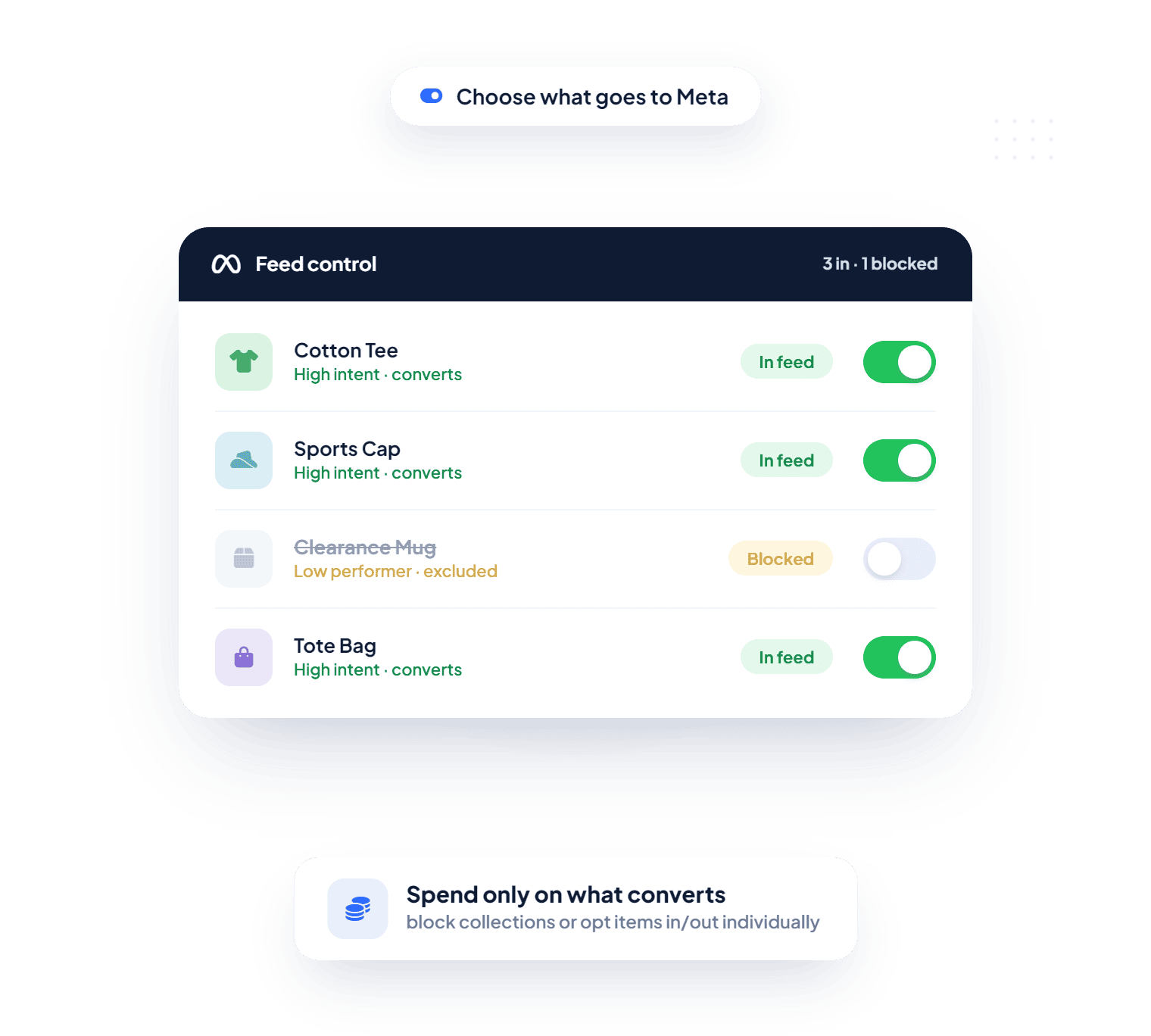
Product Feed Control
Blocklist, Opt-in, and Opt-Out Specific Products From Your Feed
Flexibly decide which products to advertise on Meta by either blocklisting entire collections or item-lines by their product type, or opting in/out individual items. Spend your ad budget only on high-intent items that convert and keep the low-performing ones out of your catalog. 
Optimize Facebook and Instagram Feeds with Precision 
Sync, customize, and manage your Shopify products on Meta effortlessly.
Starting For
Free
Easy setup, powerful feed management, and better advertising results
Start 14-Day Free Trial
Trusted by Shopify Merchants 
AdNabu is trusted by thousands of other merchants 
Starts For Free
Starts For Free
Optimize Meta product feeds without any costs. 
Priority Support 
Priority Support 
Get 24/7 assistance from certified professionals. 

Happy Customers

See why our customers love us.

Client ratings
I love the app as it let's me keep my products with all details updated. The customer support is excellent.Thanks!
DipaliZ Team
Client ratings
Good
Client ratings
I have been using AdNabu since 2019 across 5+ stores. All I can say is they are the best. I believe that there are about 5 apps that are mandatory when opening a Shopify store - and AdNabu is one of them. 10/10
Client ratings
You will not find a better company to have on your team.

Frequently Asked Questions (FAQs)

Are there any prerequisites to use this app?
A few requirements apply. Your store must use a custom domain (myshopify.com URLs aren't eligible), have a Facebook Business Manager account, and not be password-protected. You'll also need published products with essential details like title and description, active policy pages for Returns and Shipping, and clear shipping information for the countries you sell in.
Is the app GDPR compliant?
Yes, all AdNabu apps are GDPR compliant (and CPRA compliant too). They rely on Shopify's mandatory privacy webhooks, so data is only collected on lawful bases such as contractual necessity, user consent, legitimate interests, payment processing, and legal compliance.
Will the app warn me about Facebook product feed errors before products get disapproved?
Yes. If any product is missing critical attributes like GTINs or titles, the app flags it so you can fix the issue before it affects approval in your Facebook catalog.
Can I stop certain products from being sent to Facebook?
Yes. By default, every product is "opted in," but you can opt individual products out, or use the Blocklist feature to filter by collection or product type. Anything added to a blocklisted collection later gets excluded automatically, so you don't have to manage it manually.
Can I edit a lot of products at once in AdNabu’s Shopify Facebook product feed app?
Yes. The bulk edit feature lets you select multiple products, or even your entire catalog, and update them together, which saves a lot of time when managing a large Shopify product feed for Facebook.
Can I create feeds for different countries and languages?
Yes. The app supports localized feeds, so you can send region-specific versions of your Shopify Facebook product feed with the right language, currency, and pricing for each target audience. Set it up under Settings > Feed Settings > Localized Feeds.
Can I use Shopify metaobjects in my Facebook feed?
Yes. The app lets you sync Shopify metaobjects to Facebook so you can map reusable, structured content to specific feed attributes. Enable metaobjects under Settings > Product Customization, then add a metaobject (referenced in a metafield), map its fields to the matching Facebook attributes, and submit.
Also, one thing to note is that when data overlaps, the app follows this priority order: in-app customizations first, then metafields, then metaobjects, then your default Shopify values.

Simplify Facebook and Instagram Product Feed Management 

Stop managing and syncing your Meta product feed manually - let AdNabu handle it automatically.

Install feed management adnabu app for Shopify